Secure WordPress Pages with Cloudflare

Secure WordPress Pages with Cloudflare — A Novelnetware Guide
Practical, plugin-free steps to block sensitive pages (e.g. /wp-login.php) and allow only authorized access using Cloudflare Firewall Rules.
Why protect specific pages at Cloudflare’s edge?
Protecting sensitive endpoints (login pages, admin interfaces, or custom back-office paths) at the CDN edge stops malicious requests before they reach your origin server. This reduces load, prevents brute-force attempts, and minimizes exposure of server resources.

Benefits
- Plugin-free protection — fewer PHP attack surfaces.
- Edge-level filtering — blocks bad traffic before it consumes origin resources.
- Integrates with Cloudflare WAF, Rate Limiting, and Access controls.
Security comparison — which rule condition to use?
This table synthesizes the trade-offs between several Cloudflare match conditions. Choose multiple factors when possible to get defense-in-depth.
| Condition (NOT block when) | Overall Security | Leak Resistance | Spoofability | Notes |
|---|---|---|---|---|
| IP Source Address | ★★★★★ | ★★★★★ | ★★☆☆☆ | Best for stable IPs; combine with mTLS or Cloudflare Access for extra security. |
| Cookie | ★★★★☆ | ★★★☆☆ | ★★★☆☆ | Use Secure + HttpOnly + SameSite; rotate tokens often. |
| Custom Header / Signed Header | ★★★☆☆ | ★★☆☆☆ | ★★★★☆ | Effective if sent from trusted proxy or signed with server key. |
| Query String Token | ★★★☆☆ | ★★☆☆☆ | ★★★★☆ | Simple to implement but visible in logs and referrers; use one-time tokens. |
| Country / GeoIP | ★★★★☆ | ★★★★☆ | ★★☆☆☆ | Good soft filter; bypassable with VPNs. |
| User Agent / Referer | ★☆☆☆☆ | ★☆☆☆☆ | ★★★★★ | Do not rely on these values for security. |
Step-by-step implementation (Cloudflare Dashboard)
- Sign in: Visit Cloudflare Dashboard and log in to your account.
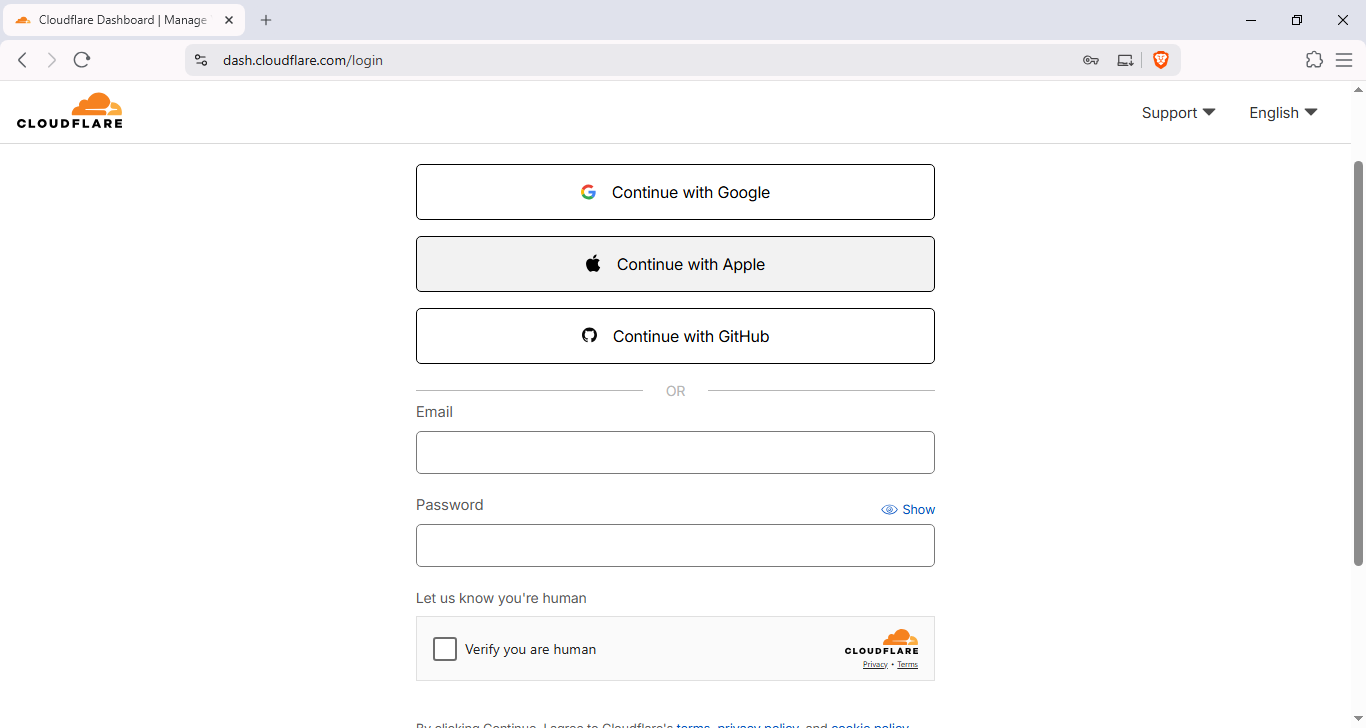
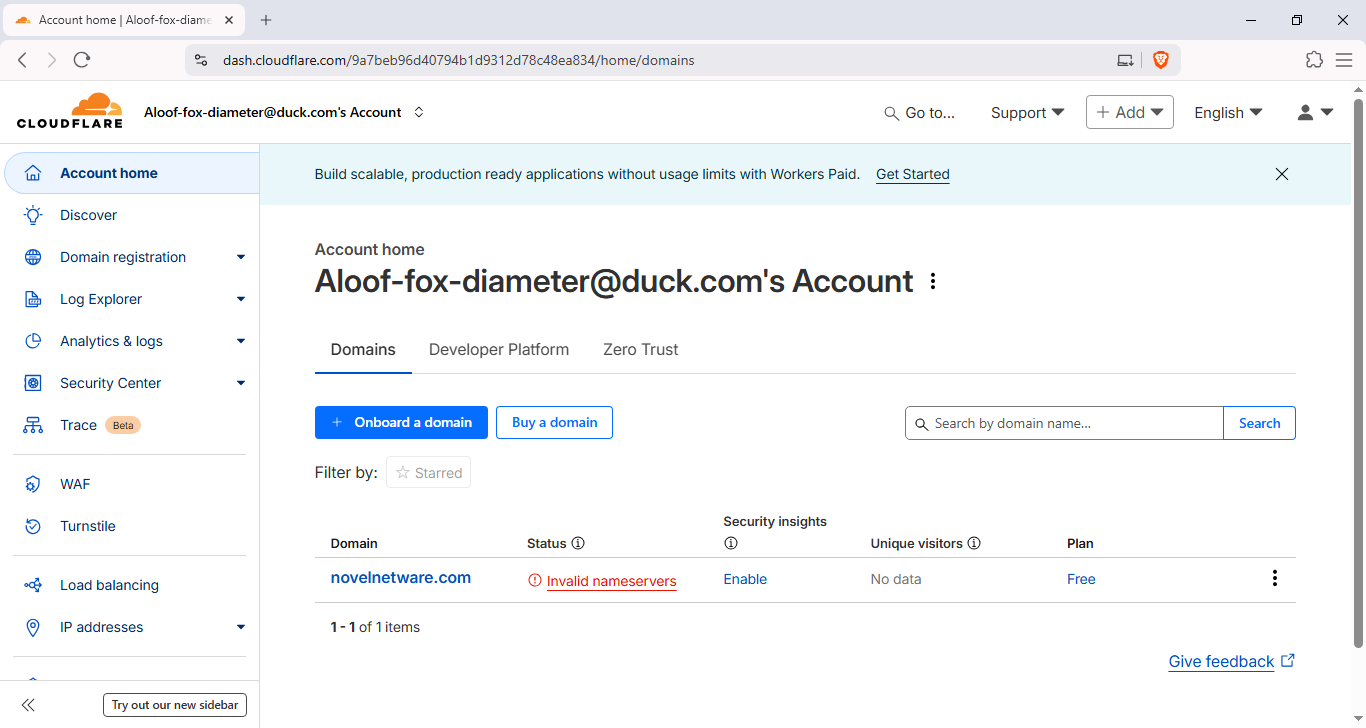
- Select Domain: Choose
novelnetware.com(or your domain) from the domain list.
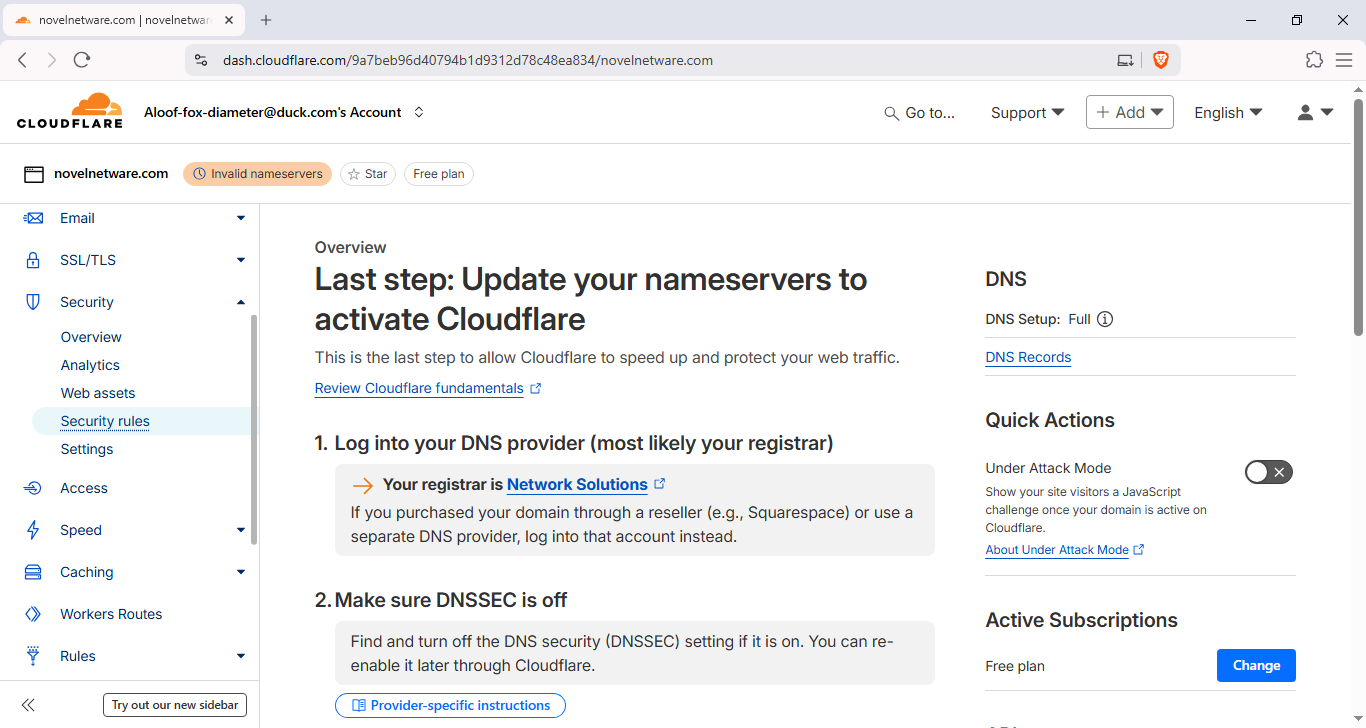
- Open Security → Firewall Rules: In the left sidebar go to Security → Firewall (or WAF) → Rules → Create rule.
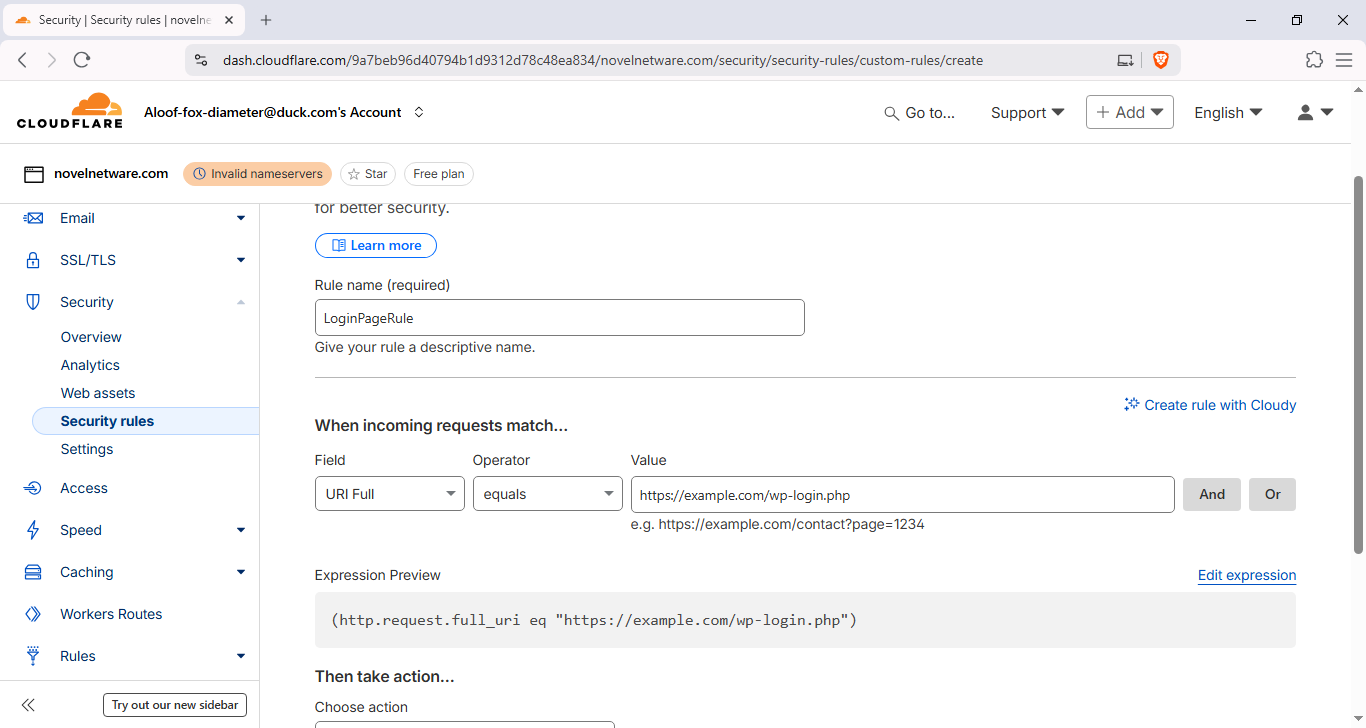
- Create a rule:
- Rule name:
Protect WP‑Login — Novelnetware - Condition A:
http.request.uri.path equals "/wp-login.php" - Add Condition B (NOT blocked when): choose one of the secure options from the table above (IP, Cookie, header or query token).
- Action:
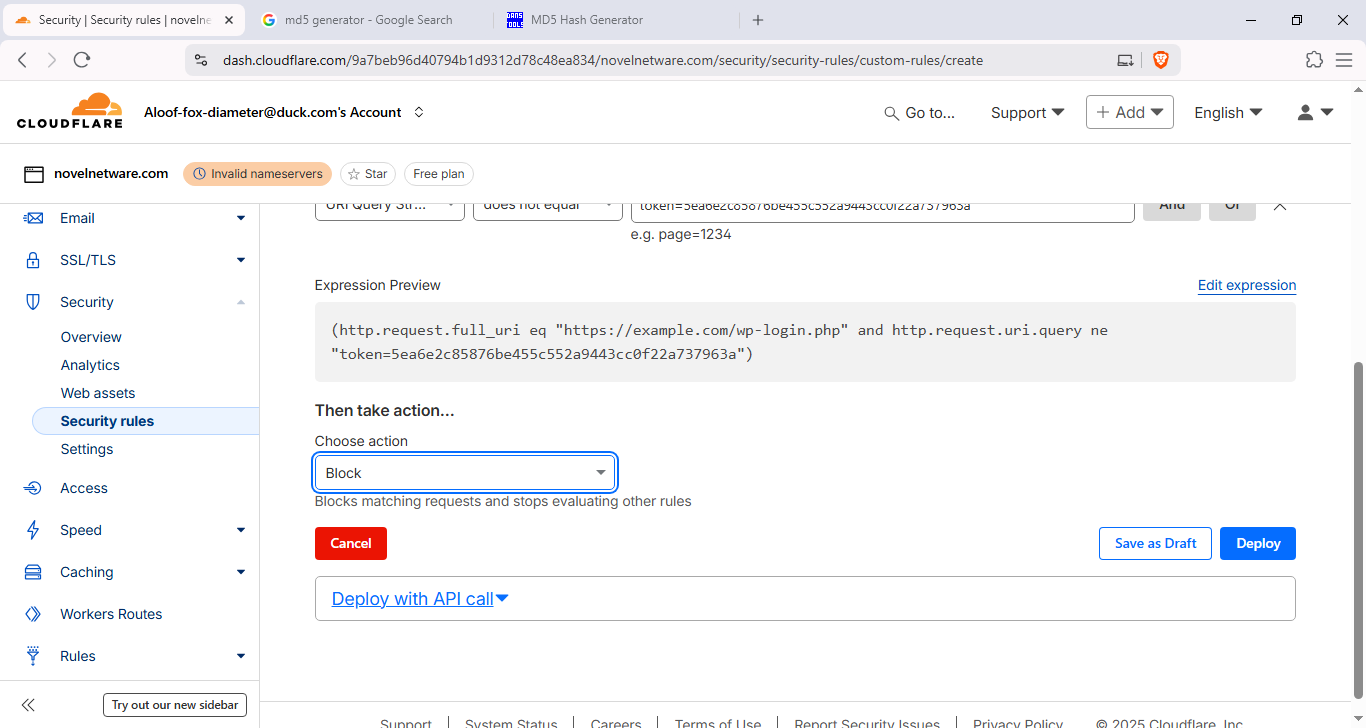
Blockfor requests that do not meet the exception.
- Rule name:
- Example token query: If using a query token, deploy the rule to block when
http.request.uri.query does not contain token=YOUR_TOKEN. When you visit the page, append the token:https://novelnetware.com/wp-login.php?token=YOUR_TOKEN.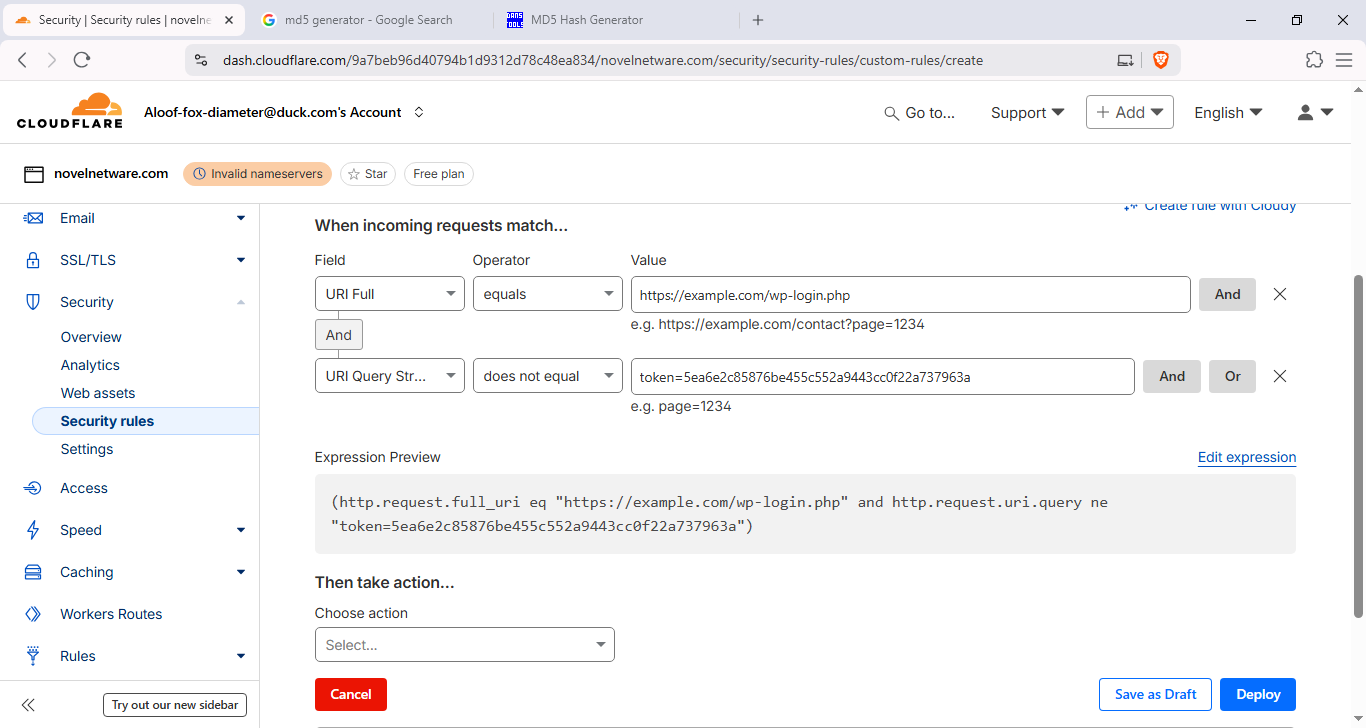
- Test & monitor: After enabling, test from different IPs and check Cloudflare Firewall events to confirm expected behavior.
Frequently Asked Questions
How can I avoid getting locked out if I misconfigure the rule?
Always test rules in Simulate/Log mode if available. Keep an alternate admin path or temporary allow rule for your IP while testing.
Is using a query token secure enough?
A query token is convenient but visible in logs and referers. Use it only as a short-term convenience or combined with other checks (IP, cookie, Cloudflare Access).
Can attackers spoof IPs to bypass this?
Direct IP spoofing for an established TCP session is difficult; however, attackers can use proxies or VPNs. That is why combining IP with stronger auth (mTLS, Cloudflare Access) is recommended.

Administrator
WordPress & performance specialist at Novelnetware.
Related articles
More tutorials on similar topics.

Comments
Have a question about this tutorial? Ask it here.